NSX-T Edge Maintenance Mode 2NSX-T Edge Maintenance Mode 2Edge Maintenance Mode Overview The NSX-T Edge cluster is a logical grouping of NSX-T Edge virtual machines that provide North-South routing for the workloads in computing clusters. NSX-T Edges can be taken out of production by being placed in...Read MoreVMware Social Media Advocacy
New KB articles published for the week ending…
New KB articles published for the week ending 14th September,2019New KB articles published for the week ending...VMware Cloud Foundation on VxRail On VCF on VxRail 3.7.1 or 3.7.2 environments upgrade bundles cannot be applied even after all of them have been downloaded Published Date:12-09-2019 VMware ESXi Manual UNMAP may conflict with Automatic UNMAP Published Date:11-09-2019... Continue Reading →
Machine Learning on VMware vSphere: Workload…
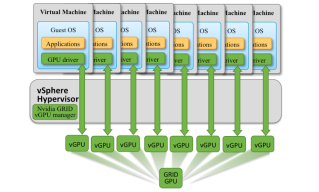
Machine Learning on VMware vSphere: Workload Types & GPU Usage Make SenseMachine Learning on VMware vSphere: Workload...Watch this free VMware webcast to look at running two types of ML workloads on VMware vSphere. One ML type uses table-oriented data and another uses images, voice, or video data identifying the best opportunities for using GPUs to... Continue Reading →
Don’t Miss the Live “Workspace ONE” Events in…
Don’t Miss the Live “Workspace ONE” Events in OctoberDon’t Miss the Live “Workspace ONE” Events in...On October 10th, join us for these Workspace ONE live online events: New Workspace ONE Features and Training Options We will cover some new features you may not have heard of in Workspace ONE along with some new training options... Continue Reading →
AMD Display Driver Security Updates address…
AMD Display Driver Security Updates address CVE-2019-5685AMD Display Driver Security Updates address...Greetings from the VMware Security Response Center! We wanted to make you aware that AMD has released a security bulletin entitled ‘Shader Functionality Remote Code Execution‘ which documents remediation for CVE-2019-5049. This vulnerability has been shown to affect VMware Workstation and, as the article... Continue Reading →
Can you move a vSAN Stretched Cluster to a…
Can you move a vSAN Stretched Cluster to a different vCenter Server?Can you move a vSAN Stretched Cluster to a...I noticed a question today on one of our internal social platforms, the question was if you can move a vSAN Stretched Cluster to a different vCenter Server. I can be short, I tested it and... Continue Reading →
Access the New vSphere Assessment Tool
Access the New vSphere Assessment ToolAccess the New vSphere Assessment ToolAccelerate vSphere upgrades in 3 easy steps using the new vSphere Assessment Tool. The tool helps identify workloads at risk for out of support vSphere versions and alerts customers on hardware challenges prior to upgrades. The post Access the New vSphere Assessment Tool appeared first... Continue Reading →
How to Avoid the Top 10 IT Operations…
How to Avoid the Top 10 IT Operations Management PitfallsHow to Avoid the Top 10 IT Operations...Consider that organizations told Forrester Consulting they struggle with poor performance, inefficiencies in troubleshooting, lack of visibility, and wasted capacity. Does this mean they don’t think their current IT operations management tool is doing everything it can for their... Continue Reading →
How to Tune vMotion for Lower Migration Times?
How to Tune vMotion for Lower Migration Times?How to Tune vMotion for Lower Migration Times?I an earlier blog post, The vMotion Process Under the Hood, we went over the vMotion process internals. Now that we understand how vMotion works, lets go over some of the options we have today to lower migration times even further.... Continue Reading →
VMware vROPS 7.5 – Global Setting Default…
VMware vROPS 7.5 - Global Setting Default Values and DescriptionsVMware vROPS 7.5 - Global Setting Default...Setting Default Value Description Action History 30 days Number of days to retain the recent task data for actions. The data is purge...Read MoreVMware Social Media Advocacy