vSphere 7 and the configuration of storage cluster optionsvSphere 7 and the configuration of storage...VMware Distributed Resource Scheduler (DRS) is a VMware feature that optimizes the performance and resources of your vSphere cluster. Storage DRS was introduced in vSphere several releases ago, and it is still a key feature of vSphere 7.VMware Social Media Advocacy
What’s Popping with vRealize Network Insight…
What's Popping with vRealize Network Insight 6.2 & Cloud?What's Popping with vRealize Network Insight...Another quarter, another vRealize Network Insight release! With version 6.2 generally available for on-premises and Cloud, we have some major news features coming in. Let’s dig in! Flow-based Application Discovery We’ve talked about Flow-based Application Discovery before, and it was already [...]VMware... Continue Reading →
Demo: Troubleshooting 403 error
Demo: Troubleshooting 403 errorDemo: Troubleshooting 403 errorA walk-through to solving a 403 (No Access) error on VMware Marketplace.VMware Social Media Advocacy
VMware Cloud Disaster Recovery
VMware Cloud Disaster RecoveryVMware Cloud Disaster RecoveryLast year VMware introduced VMware Cloud Disaster Recovery – a new VMware on-demand disaster recovery (DR) offering delivered as a simple easy-to-use SaaS solution with the benefits of cloud economics. Based on technology from VMware’s recent acquisition of Datrium, it enables IT and business continuity teams to resume critical... Continue Reading →
How Workspace ONE Intelligence Event and Trend…
How Workspace ONE Intelligence Event and Trend widgets help you achieve your UEM goalsHow Workspace ONE Intelligence Event and Trend...Companies turn to Modern Management to support the ever-evolving needs of their organizations, from managing a myriad of devices and apps to delivering the best employee experience from onboarding to retirement. To do this, they need... Continue Reading →
Three ways to improve mobile app experience…
Three ways to improve mobile app experience with Workspace ONE Intelligence User FlowsThree ways to improve mobile app experience...Every app contains a set of key mobile moments – for example, registering a new account, login, making a purchases and so on – that can either delight or frustrate a user. The challenge is that mobile... Continue Reading →
New App Capture Command-Line Tools Available in…
New App Capture Command-Line Tools Available in App Volumes 4New App Capture Command-Line Tools Available in...Ever tried to automate your packaging with App Volumes? Recently, VMware released App Volumes 4, version 2103 with a set of command-line tools that can be used for working with packages outside of the management console. In this article, I’m... Continue Reading →
Announcing VMware Cloud Foundation 3.10.2
Announcing VMware Cloud Foundation 3.10.2Announcing VMware Cloud Foundation 3.10.2VMware Cloud Foundation 3.10.2 is GA as of April 14, 2021 providing key enhancements for customers using earlier software versions and want to utilize the skip-level upgrade tool. Customers can upgrade from VMware Cloud Foundation 3.10.1.2 (sequential upgrade) or from previous releases (as early as VMware Cloud... Continue Reading →
RVtools: Free VMware best practices and health…
RVtools: Free VMware best practices and health analyzerRVtools: Free VMware best practices and health...RVtools: Free VMware best practices and health analyzer. RVTools download, installation, vSphere health scan, using RVTools, VMware inventory.VMware Social Media Advocacy
Secure your VMware ESXi hosts against…
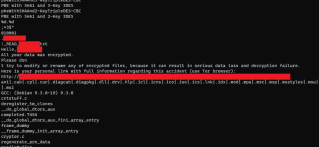
Secure your VMware ESXi hosts against ransomware in three simple steps!Secure your VMware ESXi hosts against...We have recently seen an increase in ransomware attacks where the encryption is executed from the virtualization platform. This can fairly easily be prevented using an ESXi setting called execInstalledOnly in combination with TPM and Secure Boot.VMware Social Media Advocacy