If you have a home lab or a sealed off environment with no DNS in place, you can use the local hosts files of vCenter and ESXi to setup a „name service“.
You can use vi to edit the /etc/hosts file or to make it much easier use this command
echo "192.168.0.1 esx01 esx01.domain.local" >>/etc/hosts
Than check the hosts by using
cat /etc/hosts
You will see the entry from the echo command
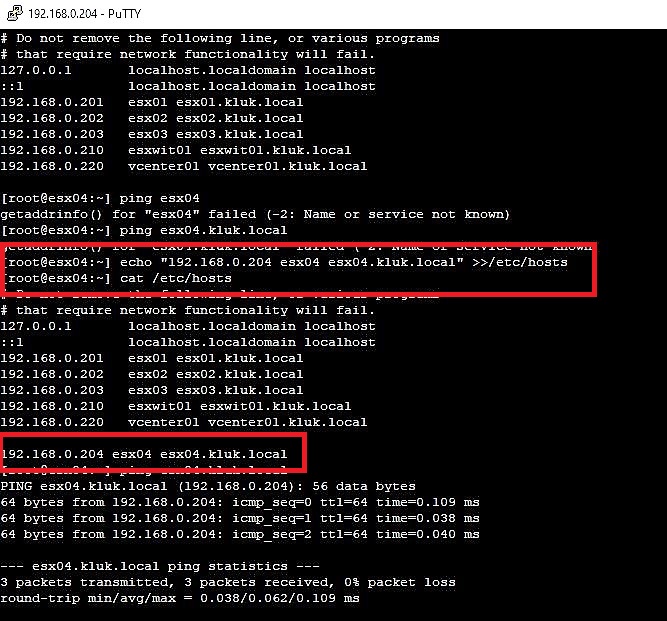
So setup all DNS entries you need for your environment.
Enjoy this short hint and I hope thats will help 🙂
 virtual graveyard
Hinterlasse einen Kommentar