vSphere Virtual TPM (vTPM) Introduction Design and Operation (Slides)vSphere Virtual TPM (vTPM) Introduction Design...Presentation slides from the vSphere Virtual TPM (vTPM) Introduction, Design, and Operation talk by Bob PlankersVMware Social Media Advocacy
VMware vSphere Certificate Management Concepts,…
VMware vSphere Certificate Management Concepts, Introduction, and Q&A (Slides)VMware vSphere Certificate Management Concepts,...Slides from the VMware vSphere Certificate Management Concepts, Introduction, and Q&A talk by Bob PlankersVMware Social Media Advocacy
Managing SRM and VR with PowerCLI 13.1

Managing SRM and VR with PowerCLI 13.1Managing SRM and VR with PowerCLI 13.1PowerCLI 13.1 introduces two new auto generated modules that provide PowerShelI bindings for the vSphere Replication REST API and the Site Recovery Manager REST API. We will cover connection management for both modules – host based replication with vSphere Replication and creation of... Continue Reading →
Array Based Replication with PowerCLI 13.1

Array Based Replication with PowerCLI 13.1Array Based Replication with PowerCLI 13.1This blog post explains how to configure Array Based Replication (ABR) with the PowerCLI VMware.Sdk.Srm module. Before diving in, consider reading the blog post, explaining the basic concepts of the VMware.Sdk.Srm module: “Managing SRM and VR with PowerCLI 13.1“. There you can find out more... Continue Reading →
VMware Cloud Foundation Now Supports NVMeoF/TCP

VMware Cloud Foundation Now Supports NVMeoF/TCPVMware Cloud Foundation Now Supports NVMeoF/TCPVMware Cloud Foundation (VCF) 5.0 has now been launched, and as a part of the release, we have added support for NVMeoF over TCP (non-volatile memory express/Transport layer protocol) as supplemental storage. NVMe is the new transport and storage access protocol for next-generation solid-state drives.... Continue Reading →
Workaround for VMware Cloud Builder 10GbE…

Workaround for VMware Cloud Builder 10GbE pre-check in VMware Cloud Foundation 5.0Workaround for VMware Cloud Builder 10GbE...VMware Cloud Foundation (VCF) 5.0 is now generally available for customers to upgrade and I had a chance to play with it in my homelab before it was released. One change that I had noticed in the new version... Continue Reading →
The most important features of VMware App…

The most important features of VMware App Volumes: Apps on DemandThe most important features of VMware App...In this series, Ron Oglesby explains the most important new features of our Windows application management platform: VMware App Volumes. These features give customers more flexibility, new options, and tools for managing their Windows applications. While the infrastructure technology... Continue Reading →
Getting Started – Take Quick Actions on Your…

Getting Started - Take Quick Actions on Your Discovered ResourcesGetting Started - Take Quick Actions on Your...Aria Automation- http://bit.ly/3fttsiS Welcome to VMware Aria Automation getting started video series, your journey to success. In this video, the Automation Assembler Administrator can use the Deployments section of the resources tab to manage the discovered machines.VMware Social Media... Continue Reading →
Announcing VMware Aria Hub May Release

Announcing VMware Aria Hub May ReleaseAnnouncing VMware Aria Hub May ReleaseWe are excited to continue expanding the capabilities of VMware Aria Hub with our May release, further enhancing a true multi-cloud management platform with centralized views and controls powered by cloud-scale, graph-based data store technology. What’s New – VMware Aria Hub May Release AWS Bulk... Continue Reading →
💥 The VMware Explore Content Catalog Is Open
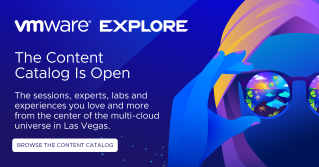
💥 The VMware Explore Content Catalog Is Open💥 The VMware Explore Content Catalog Is OpenFind the sessions, experts, labs and experiences you love and more from the center of the multi-cloud universe in Las Vegas. Browse the Content Catalog!VMware Social Media Advocacy

