Building a compelling Multi-Cloud DevOps and…

Building a compelling Multi-Cloud DevOps and Data Services BusinessBuilding a compelling Multi-Cloud DevOps and...VMware recently made some announcements that allow VMware Cloud Service Provider partners to take the next steps towards modern applications, data services and DevOps: These include: We want to give our Cloud Service Provider partners detailed guidance on how to monetize and... Continue Reading →

Giving CSPs the Choice and Flexibility to Match…

Giving CSPs the Choice and Flexibility to Match Far-Edge RAN Site Architecture to their RequirementsGiving CSPs the Choice and Flexibility to Match...After gaining numerous advantages from modernizing and disaggregating their core networks, CSPs are turning their attention to the radio access network, or RAN. They now seek to improve agility, reduce costs, and deploy RAN... Continue Reading →

VCP-DCV on vSphere 8.x Objective 1.10.2…

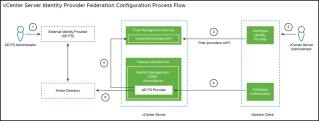
VCP-DCV on vSphere 8.x Objective 1.10.2 Recognize use cases for Identity Federat...VCP-DCV on vSphere 8.x Objective 1.10.2...In our previous post, we have detailed the architecture of vSphere Identity Federation and showed some protocols that are used within this technology. Identity federation enables organizations to integrate their existing identity systems with vSphere 8 to provide seamless... Continue Reading →

vMotion Fails because VMTools is Installing

vMotion Fails because VMTools is InstallingvMotion Fails because VMTools is InstallingThis is a “quickie, but goodie” post that I wanted to share with everyone. A project that we’re currently working on for a client is a massive migration of VMs into a VCF environment. During some of the migrations we hit a handful of VMs... Continue Reading →

Setup 2-node vSAN Cluster

Setup 2-node vSAN ClusterYou need to create a vSphere Cluster (enable HA, DRS and vSAN), then add two vSAN nodes into this cluster. Now we can start to configure the 2-node vSAN cluster. Select the predefined Distributed Switch for vMotion and vSAN network, then Next. Specify the IP address for the vMotion network, [...]VMware Social... Continue Reading →

How to fix vLCM and Image based update (error:…

How to fix vLCM and Image based update (error: Downgrades of manually added Comp...How to fix vLCM and Image based update (error:...If you're encountering the "Downgrades of manually added Components" error when attempting to update vLCM and Image-based systems on VMware, you're not alone. In this video, we'll walk you through the steps to fix... Continue Reading →

Cloud Foundation Download Update Bundles

Cloud Foundation Download Update BundlesCloud Foundation Download Update BundlesWhen you sign in with your MyVMware account, the SDDC Manager automatically identifies new updates when they become available. This interactive simulation will show how to identify and download software updates to your Cloud Foundation private cloud. Note for environments that do not have internet connectivity, you... Continue Reading →

Cloud Foundation Apply SDDC Manager Software…

Cloud Foundation Apply SDDC Manager Software UpdatesCloud Foundation Apply SDDC Manager Software...Each new release of VMware Cloud Foundation includes an update for the SDDC Manager appliance. These updates are made available as update bundles that can be downloaded directly by the SDDC Manager or by using the Bundle Transfer Utility. The SDDC Manager appliance typically... Continue Reading →

Webseite erstellt mit WordPress.com.

Nach oben ↑