VMware

How to configure and manage vSphere 7 alarms
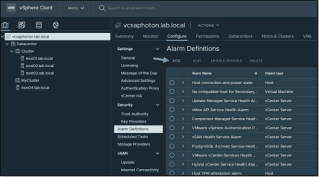
How to configure and manage vSphere 7 alarmsHow to configure and manage vSphere 7 alarmsAs with previous releases, VMware vSphere 7 has kept alarm management. The vSphere 7 alarms are useful for day-to-day management, but as the product grows larger, with more functions and cluster-wide options, the number of predefined alarms grows.VMware Social Media Advocacy

Usage Meter 4.4 is Now Available

Usage Meter 4.4 is Now AvailableUsage Meter 4.4 is Now AvailableVMware is excited to announce that Usage Meter 4.4 is now available, bringing with it full collector and feature parity with 3.6.1. This is a big milestone as Usage Meter and Usage Insight have been under a large architecture migration for some time. So lets... Continue Reading →

Tanzu Kubernetes Grid deployments on VMware…

Tanzu Kubernetes Grid deployments on VMware Cloud on AWSTanzu Kubernetes Grid deployments on VMware...Deploy Tanzu Kubernetes Grid into a VMware Cloud on AWS environment. Begin with a quick explanation of the process and then deploy the management cluster. Finish up the video by deploying your first Tanzu Kubernetes Cluster.VMware Social Media Advocacy

Join VMware tomorrow for the unveiling of the…

Join VMware tomorrow for the unveiling of the Anywhere Workspace!Join VMware tomorrow for the unveiling of the...Join us in leading the change to unpack our latest announcement, VMware Anywhere Workspace, a solution that brings together VMware Workspace ONE, VMware SASE and VMware Carbon Black Cloud to enable distributed organizations to truly embrace work from anywhere.VMware... Continue Reading →

Dynamic Environment Manager: Configuring the…

Dynamic Environment Manager: Configuring the FlexEngine (Agent) GPODynamic Environment Manager: Configuring the...This demo shows how to copy the ADMX administrative templates to the domain controller and configure policies for users and VMs.VMware Social Media Advocacy

Home Lab Step-by-Step Part-2

Home Lab Step-by-Step Part-2Home Lab Step-by-Step Part-2Let’s start from where we left in Part-1: Once ESXi installation is complete, you will be presented with this screen, here press F2 to start initial configuration of ESXi.VMware Social Media Advocacy

Use vSphere Lifecycle Manager (vLCM) for ESXi…

Use vSphere Lifecycle Manager (vLCM) for ESXi 7.0 Update 2a UpgradeUse vSphere Lifecycle Manager (vLCM) for ESXi...Use vSphere Lifecycle Manager (vLCM) for ESXi 7.0 Update 2a Upgrade. Step-by-step look at vLCM and getting around a nested ESXI lab error.VMware Social Media Advocacy

VM Service – Help Developers by Aligning Their…

VM Service – Help Developers by Aligning Their Kubernetes Nodes to the Physical InfrastructureVM Service – Help Developers by Aligning Their...The vSphere 7.0 U2a update released on April 27th introduces the new VM service and VM operator. Hidden away in what seems to be a trivial update is a collection of all-new functionalities. Myles Gray... Continue Reading →

Deploying Oracle Workloads on vSAN HCI Mesh…

Deploying Oracle Workloads on vSAN HCI Mesh Compute Cluster – Disaggregating Compute and StorageDeploying Oracle Workloads on vSAN HCI Mesh...The previous blog No downtime Storage vMotion of Oracle RAC Cluster using shared vmdk’s with multi-writer attribute from one vSAN to another vSAN Cluster using VMware HCI Mesh demonstrated how we can achieve Storage vMotion of... Continue Reading →

New Partner Case Studies

New Partner Case StudiesNew Partner Case StudiesVMware Partner ConnectApril 30, 2021 VMware Partner ConnectApril 30, 2021 VMware Partner ConnectApril 28, 2021 VMware Partner ConnectApril 26, 2021VMware Social Media Advocacy

Webseite erstellt mit WordPress.com.

Nach oben ↑